
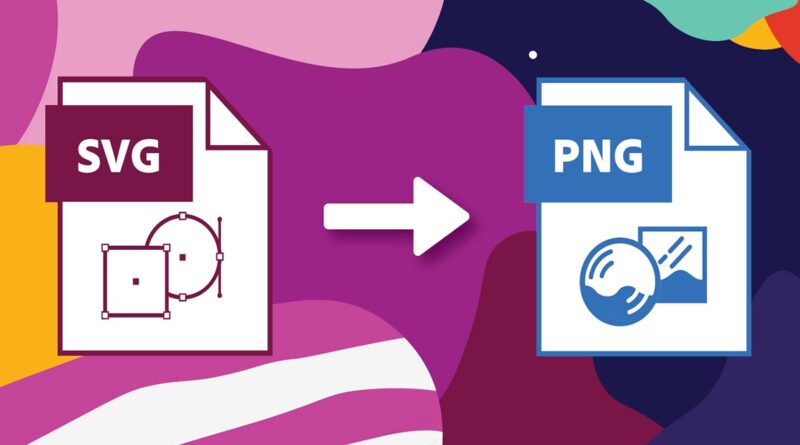
PNG vs SVG Clipart: Which One Is Best?
The quality, performance, and usability of a digital design can all be significantly impacted by selecting the right clipart file format. Because of their outstanding features, PNG and SVG clipart are the choices of most designers, content creators, and digital product sellers. As a result, they are among the most popular types of clipart. However, the most pressing question is which kind of clipart is better, SVG or PNG?
How and where you intend to use your designs will determine the response. We’ll compare and contrast PNG vs SVG Clipart, talk about the advantages and disadvantages of each, and help you decide which one is best for your projects, digital products, printables, websites, or even graphics for social media.
What exactly are PNG images?
The image format known as PNG (Portable Network Graphics) is a raster format that is frequently utilized in digital design. PNG clipart is also very popular because it lets you use transparent backgrounds. Because of this, it is simple to add images to a variety of designs without having to use backgrounds that people would rather not see. Applications of PNG Graphics for social media Images on the web Handouts and digital workplanners products from Creative Market and Etsy. Format for raster images (based on pixels). Encourages transparency Output of high-quality images Compatible with a wide range of software and hardware. definite resolution images and thumbnails for blogs. If you need images that don’t need to be edited or resized, PNG clipart is the best option.
What Is SVG Clipart?
Scalable Vector Graphics (SVG) is a type of vector-based image format in which mathematical paths rather than pixels are used to create the image. This is to say that SVG images can be resized indefinitely without loss in quality.
Professional designers, web developers, and crafters who use cutting machines like Cricut and Silhouette seem to particularly like SVG clipart.
Characteristics of SVG Clipart:
Vector-based (independent of resolution) Disinfinitely scalable, and not compromised. compression of small files when employing a straightforward design. Color, shapes, and layers can all be edited, making it perfect for print and online use. Common Uses of SVG Clipart: Marketing and branding Icons for the web and the interface. designs on vinyl and t-shirts. Projects made with Silhouette and Cricut. Designs for professional printing.
Advantages of PNG Graphics
Easy to Use
PNG files can be used with ease. Uploading them to Canva, Photoshop, PowerPoint, or even social media doesn’t take any extra effort.
Ideal For Beginner
If you’re new to digital design, PNG clipart is easier to work with and more straightforward. Special software or technical expertise is not required.
Perfect for Digital Product
Stickers are best for PNG. Online planners, printable wall art, and social media templates are all compatible. PNG files are extremely reliable due to their compatibility with nearly all design tools, browsers, and devices.
Disadvantages of PNG Clipart
Unable to be freely resized without sacrificing quality. Not recommended for large prints. Limited options for editing High-resolution images have larger file sizes.
Advantages of SVG Graphics
Limitless Scalability
The SVG clipart can be rendered as a tiny icon or resized to look like a billboard without losing any quality.
Fully customizable
Colors, shapes, text, and layers can all be easily changed using tools like Adobe Illustrator, Inkscape, or Cricut Design Space.
Favorite for Craft and Print Projects
SVG files are the best when it comes to:
- Cutting vinyl
- Clothing printing
- Designing a logo
- Cutting by laser
SEO & Web-Friendly
Appropriate use of SVG images can enhance the performance and search engine optimization of websites since search engines can use these images as indices.
Disadvantages of SVG Clipart
Not recommended for novices.
Needs editing software on vectors.
The browser can be hampered by complicated designs. does not lend itself well to the finer art of the photo type.
Which type of clipart, PNG or SVG, is superior?
Either yes or no is the answer here. Choose PNG Clipart If:
- You need designs quickly and already made.
- You sell online downloads to planners and social media platforms.
- Your audience includes some beginners.
- You don’t need to resize your agility.
If: Choose SVG Clipart
- You need graphics that are scalable and of high quality.
- You create branding materials or logos.
- Creator of Silhouette or Cricut.
- You want total control over the elements of the design.
Best Practice: The creators of many successful digital products provide formats to access a larger audience.
SEO Advice for Digital Clipart Sellers
In case you sell clipart online, you should include the formats as well as maximize your product pages by using keywords such as:
- SVG versus PNG graphics
- PNG graphics that can be downloaded for use in business.
- SVG clipart for Cricut
- Digital clipart of high quality
This will help attract traffic for a variety of search purposes.
Final Verdict:
There is no optimal format. PNG is the most straightforward, quick, and user-friendly type of clipart. SVG clipart is the best for professional projects, scalability, and customization. Utilize the two forms in a strategic manner to take advantage of their usability and generate sales, whichever is more feasible.
FAQs
Between PNG and SVG, which is better?
Although both are excellent, SVG’s design is more editable and scalable than PNG’s, making it more of a ready-to-use image.
Is it possible to convert SVG files to PNG?
This is true, and design applications such as Illustrator, Inkscape, and Canva can quickly and easily convert SVG files to PNG.
Which Cricut design suits you best?
The most suitable format is the SVG on Cricut and other cutting machines.
Which is better for websites to use: PNG vs SVG?
SVG is more web-friendly because of its scalability and small file size, especially for icons and logos.
Is it possible to use SVG clipart for first-time users?
Yes, however, PNG is simpler to learn. SVG needs a little knowledge of vector editors.
